

Chromiumfx has quickly become one of the most talked-about tools among developers, software builders, and tech professionals who want the power of Chromium without the limitations of standard browsers. Designed as an open-source framework based directly on the Chromium project, chromiumfx provides a modern, lightweight, and highly adaptable environment that allows users to embed a full Chromium browser inside their applications. This makes it possible for developers to create custom browsers, hybrid applications, automation tools, testing software, and security-oriented platforms with far more control than what traditional browsers allow. As more developers look for customizable browser engines, chromiumfx continues to grow in popularity, offering speed, flexibility, advanced rendering capabilities, and deep integration options that make it suitable for both personal use and enterprise-level projects.
In today’s digital world, the need for more secure, private, and performance-optimized web environments has increased dramatically. Traditional browsers often come with limitations such as forced updates, restricted modification options, and predefined user-interface components that cannot be changed. chromiumfx solves all of these problems by putting the entire Chromium engine directly into the hands of developers in a form that they can modify, rebuild, or integrate however they choose. Because of this, chromiumfx has become an essential tool for teams building secure workstations, kiosk systems, custom trading dashboards, AI-powered automation platforms, and standalone browsers that support advanced features like sandboxing, GPU acceleration, and isolated environments.
What Is chromiumfx and Why Is It So Important Today?
chromiumfx is a lightweight, open-source framework that allows developers to embed Chromium into desktop applications. This is especially useful for people who want full control over how the browser behaves, looks, and interacts with system-level features. Instead of being limited by the built-in UI and restrictions of Chrome or Edge, chromiumfx gives you the same engine but with complete flexibility and customization options. Developers can change the interface, remove unnecessary components, add new features, improve privacy controls, and optimize performance according to their specific needs.

Because chromiumfx is based on the Chromium project, it inherits the same speed, HTML5 compatibility, security updates, sandboxing technology, and rendering engine that power some of the most advanced browsers in the world. However, unlike Chrome, chromiumfx does not include Google’s tracking features, preinstalled services, or locked-down functionality. It is a pure framework, designed for performance and adaptability. This makes chromiumfx ideal for developers building modern applications who want the power of Chromium without corporate restrictions.
How chromiumfx Works Behind the Scenes
chromiumfx works by using bindings that allow .NET applications to communicate with Chromium’s core engine. These bindings let developers control nearly every part of the browser’s behavior, from loading pages and managing cookies to injecting scripts and customizing the UI. Because chromiumfx exposes such a large portion of the Chromium API, developers gain access to low-level browser features that are normally hidden from everyday users. This level of control allows for deep optimization that can reduce resource usage, increase performance, and enable advanced automation tools.
Behind the scenes, chromiumfx loads the Chromium engine directly into the host application. This means the application itself acts as the browser, instead of opening a separate browser window. This approach improves memory efficiency and integrates smoothly with desktop software. It also allows developers to remove features such as auto-updates, telemetry, and built-in Google services that many users may not want. Because of its open-source nature, chromiumfx continues to evolve as Chromium evolves, making it future-proof for modern development.
Why chromiumfx Is Ideal for Developers and Businesses
For many developers, chromiumfx offers the perfect combination of speed, reliability, and flexibility. Businesses that need custom browser solutions often choose chromiumfx because it can be tailored to specific industry requirements. For example, a financial trading company can create a secure browser that blocks risky websites, supports custom plugins, and has a streamlined interface designed for fast decision-making. Educational institutions can develop browsers that restrict student access to certain sites while still supporting modern web technologies. Healthcare companies can use chromiumfx to build HIPAA-compliant browsers that prevent data exposure and limit external connections.
chromiumfx is also highly valuable for businesses that want to automate tasks. The ability to integrate scripting, bot frameworks, or AI-powered tools at the browser level makes it ideal for automated testing environments. For developers who want to simulate user interactions, load pages programmatically, scrape structured data, or interact with APIs, chromiumfx provides an efficient and reliable foundation.
Advantages of Using chromiumfx Over Traditional Browsers
One of the biggest advantages of chromiumfx is the high level of customization that it provides. Traditional browsers limit how much you can change, which makes it difficult for developers to create specialized tools. chromiumfx, however, allows you to modify nearly every aspect of the browser. This includes user-interface controls, security features, rendering options, and performance settings. Because it is not tied to a specific corporate ecosystem, chromiumfx does not force you into a particular design or workflow.
Another major benefit is privacy. chromiumfx removes Google-linked tracking services and provides a clean environment without background processes. Users who want more control over their browsing experience often prefer chromiumfx because it does not store personal data or connect to cloud services unless you choose to enable them. This makes chromiumfx an excellent choice for high-security work environments where privacy is the highest priority.
A further advantage is performance. chromiumfx is designed to be lightweight and efficient, giving developers the ability to remove unnecessary components and streamline performance. This makes applications built with chromiumfx faster, more responsive, and more stable than traditional browsers.
Use Cases Where chromiumfx Excels
chromiumfx is used in a wide range of industries and applications. Many developers use it for building custom browsers that include additional features such as secure login systems, encrypted data storage, or specialized navigation tools. Businesses use chromiumfx to develop internal applications that require integrated browsing functionality. Software companies use it to build hybrid applications that combine web and desktop capabilities into one seamless experience.
Another common use case is automation. Developers often rely on chromiumfx to build automated testing environments because it provides more stability than headless browsers while offering the full rendering power of Chromium. It is also frequently used for kiosk systems found in airports, malls, museums, and public terminals where the browser must be controlled strictly and locked down to specific content.
chromiumfx Features That Make It Stand Out
chromiumfx includes a powerful set of features that make it ideal for modern development. It includes full HTML5 and CSS3 support, meaning developers can create visually rich applications that run smoothly on desktop environments. It also supports WebGL and GPU acceleration, allowing for advanced graphics performance. chromiumfx includes robust security features, including process isolation, sandboxing, and powerful content filtering controls.
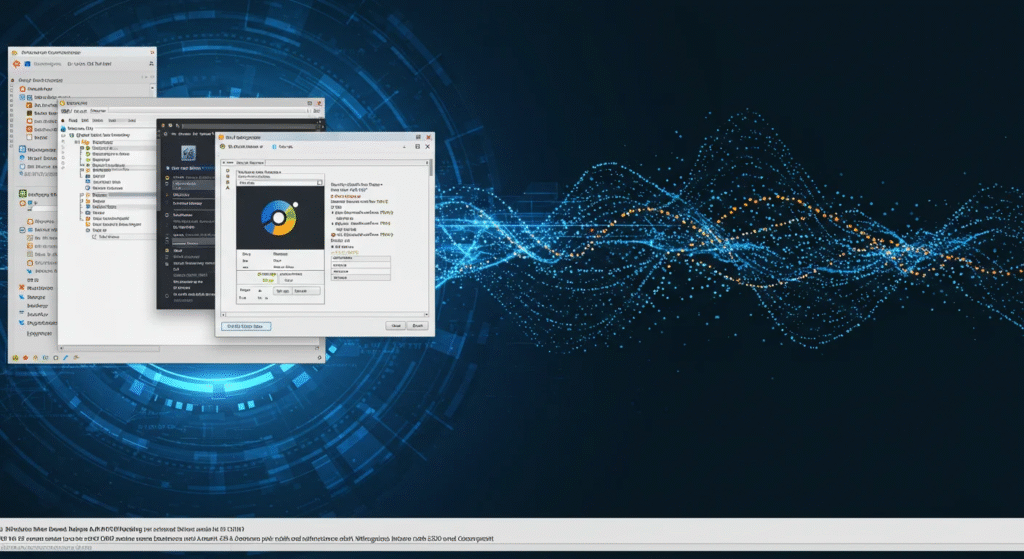
It also supports advanced debugging tools, including remote debugging, logging, and script injection. This makes it easier for developers to test and refine their software before deploying it to users. chromiumfx also integrates smoothly with .NET languages, giving developers a familiar environment in which to work.
Security Benefits of chromiumfx
Security is one of the strongest advantages of chromiumfx. Because it is based on Chromium, it benefits from one of the most secure browser engines in the world. chromiumfx isolates each tab and process, which helps prevent malware attacks and stops malicious scripts from affecting the entire application. It also includes built-in sandboxing that protects sensitive data and reduces the risk of system breaches.
Furthermore, developers can manually control how cookies, cache, and local storage are managed, allowing them to build security-focused applications that meet strict compliance requirements. This makes chromiumfx a preferred choice for industries where data protection and regulatory compliance are essential, such as healthcare, finance, legal services, and government systems.
Performance and Speed Optimization in chromiumfx
Because chromiumfx removes unnecessary browser components and allows developers to fine-tune performance settings, it often runs faster than traditional browsers. Developers can optimize resource usage, reduce memory consumption, control background processes, and disable functions that are not needed. This gives chromiumfx a competitive advantage when used in high-performance applications such as gaming dashboards, trading terminals, and real-time monitoring tools.
chromiumfx vs Other Frameworks
When compared to other browser-embedding frameworks, chromiumfx consistently stands out. Many frameworks are either too limited, outdated, or too complex to integrate with modern applications. chromiumfx benefits from continuous updates and improvements because it is tied to the Chromium project. This keeps it compatible with the latest web technologies and ensures long-term stability.
Conclusion
In a world where flexibility, speed, and security are becoming more important than ever, chromiumfx stands out as a powerful and future-ready solution for developers and businesses that want complete control over their browsing environments. By combining the strength of the Chromium engine with the freedom of an open-source framework, chromiumfx gives users the ability to build custom browsers, specialized desktop applications, secure interfaces, and automation tools that go far beyond the limitations of traditional web browsers. Its strong performance, advanced rendering capabilities, privacy-focused design, and deep customization options make it one of the most versatile tools available today for modern software development. As digital demands continue to evolve, chromiumfx is positioned to remain an essential technology for professionals who want a faster, safer, and more flexible way to integrate web functionality into their applications. Whether you are building internal business software, creating a unique browsing experience, or developing automation platforms, chromiumfx offers the reliability and innovation needed to support long-term growth and success.
FAQs
What is chromiumfx used for?
Chromiumfx is used to embed Chromium into desktop applications, allowing developers to build custom browsers and browser-based software.
Is chromiumfx free to use?
Yes, chromiumfx is completely free and open-source.
Does chromiumfx support modern web technologies?
Yes, chromiumfx supports HTML5, CSS3, JavaScript, WebGL, and other current web standards.
Can chromiumfx be used for automation?
Yes, many developers use chromiumfx to build automated testing tools and AI-powered automation applications.
Is chromiumfx safe?
It is highly secure due to its Chromium-based sandboxing and isolation features.